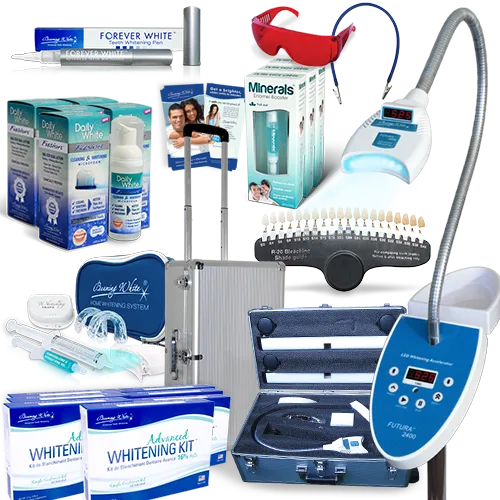
A mobile white teeth whitening light is a convenient way to brighten your smile from the comfort of your home. However, encountering issues, such as the light not staying on, can be frustrating. This guide offers five troubleshooting tips to help you identify and resolve the problem. By systematically checking each potential cause, you can often restore your whitening light to its full functionality, saving you time and money. The troubleshooting steps are designed to be user-friendly, so you can easily diagnose and fix the most common problems. Before you resort to replacing the device, consider these troubleshooting steps to potentially extend the life of your whitening light.
Check the Power Source
The first step in troubleshooting a mobile whitening light that won’t stay on is to check the power source. Ensure that the device is properly connected to a power outlet or that the batteries are correctly inserted and have sufficient charge. For devices that use batteries, try replacing them with new ones, as old or depleted batteries are a common reason for the light to malfunction. If your light uses a charging cable, make sure the cable is securely plugged into both the light and the power source. Sometimes, a loose connection can prevent the light from turning on or staying on. If using a USB charger, confirm that the USB port is working correctly by testing it with another device. In case of any power related problem, try a different outlet to ensure there’s no issue with the power supply itself. A faulty power source is the primary reason that can cause the light to stay off.
Examine the Battery or Charging Connection
If your mobile teeth whitening light uses a rechargeable battery or charging connection, closely examine these components. For devices with a charging port, inspect the port for any visible damage or debris that might be obstructing the connection. Use a small brush or compressed air to clean the port if necessary, ensuring that the charging pin makes proper contact. If you use a rechargeable battery, confirm that the battery is properly seated inside the device and that the contacts are clean. Over time, dust or corrosion can build up on the contacts, preventing a good electrical connection. You can clean the contacts with a cotton swab and a small amount of rubbing alcohol to ensure they function properly. Check the charging cable for any fraying or damage, as a damaged cable can prevent the device from charging correctly. A fully charged battery should allow the light to function correctly.
Inspect the Light’s Components

Carefully inspect the light’s components for any visible damage. Look at the light itself to ensure it is not cracked or broken. A damaged light can prevent the device from turning on. Examine the internal wiring for any loose connections or frayed wires. If you are comfortable doing so, open the device (after unplugging it, if applicable) and visually inspect the circuit board and other components. However, if the device is under warranty, avoid opening it yourself, as this may void the warranty. Any damage such as burn marks or loose connections on the circuit board could prevent the light from working. Also, check the switch or button that activates the light. This switch might fail due to wear and tear, causing the light to not stay on. If the switch is damaged or doesn’t respond, it needs replacement. Always prioritize safety and consult a professional if you’re unsure about any repair.
Review the User Manual and Instructions
The user manual is an invaluable resource that often contains specific troubleshooting tips for your particular model of mobile whitening light. Refer to the manual to ensure you are operating the device correctly. It may provide guidance on error codes, charging times, or specific instructions for resolving common issues. The manual might describe solutions for problems such as the light not turning on or staying on. Make sure you’re using the device following the instructions given in the manual, as incorrect usage can cause the light to malfunction. Look for a troubleshooting section in the manual, which may provide solutions for your specific issue. Often, manufacturers include detailed FAQs and troubleshooting sections to help users resolve common problems. Following the correct operating procedures and safety precautions can significantly improve the device’s longevity and efficiency.
Contact Customer Support for Assistance
If you have tried all the troubleshooting steps without success, it’s time to contact customer support. The manufacturer’s customer support team can provide expert advice and assistance. They may be able to diagnose the problem remotely or offer solutions that you haven’t considered. They also provide information on warranty coverage, and eligibility for repair or replacement. Contact customer support by phone, email, or through the manufacturer’s website, depending on the contact options provided. When you contact customer support, provide as much detail as possible about the issue, including the model number of your whitening light, the steps you have already taken, and any error messages. This information will help the customer support representative assist you more effectively. If the device is faulty or defective, they may offer a replacement, a refund, or repair service. Before contacting customer support, have your proof of purchase ready to facilitate the process.
By following these troubleshooting tips, you should be able to diagnose and often resolve issues with your mobile whitening light. Regularly maintaining your device will extend its life and ensure you continue to enjoy brighter, whiter teeth. If the problem persists, don’t hesitate to seek professional assistance. With proper care and maintenance, your mobile whitening light should provide you with years of effective teeth whitening results. Remember to always prioritize safety and consult the user manual for specific instructions and guidelines related to your device.